
Website Copier
Download pages from sites you own or may copy as HTML, CSS and images in one static ZIP. Save a front-end backup, prepare a move to static hosting, or keep an archive for offline reading.
Create your website archive
Progress appears live in your workspace after you submit.
No install. No setup. Free to try.
Copy only sites you own or have permission to archive. See permissions.
What you get back
Website Copier gives you a ZIP of static HTML, CSS, images, fonts and scripts, plus a report.json that lists what was saved, skipped or failed.
A website archive is a set of files, not a screenshot or the original project. The capture starts at your URL, collects reachable pages within your scope and packages the available front-end resources into a static ZIP you can inspect, keep and serve anywhere. Results depend on the site's responses, resource availability and capture budgets. The report shows what was and was not saved.
One page or a linked set of pages
Choose one page for a quick snapshot, or a page and depth limit to copy a whole site up to your plan's caps.
Start with a representative page. Depth zero saves only the starting page; higher depths follow more link levels up to your page limit. Reachable links, allowed hosts and path rules define the scope, so hidden routes, unlinked pages and logged-in content are not included. The workspace adds host and include/exclude path controls when you need a narrower archive. Check the page list and adjust the next capture.
Copy a websiteHTTP or JS-rendered: choose the right capture mode
How to download a website in three steps
Paste a URL, choose HTTP or JS mode, then preview and download the ZIP when the capture finishes.
See it in action
A real capture in the Website Copier workspace: paste a URL, watch each stage and safety check, then preview the result and download the ZIP.
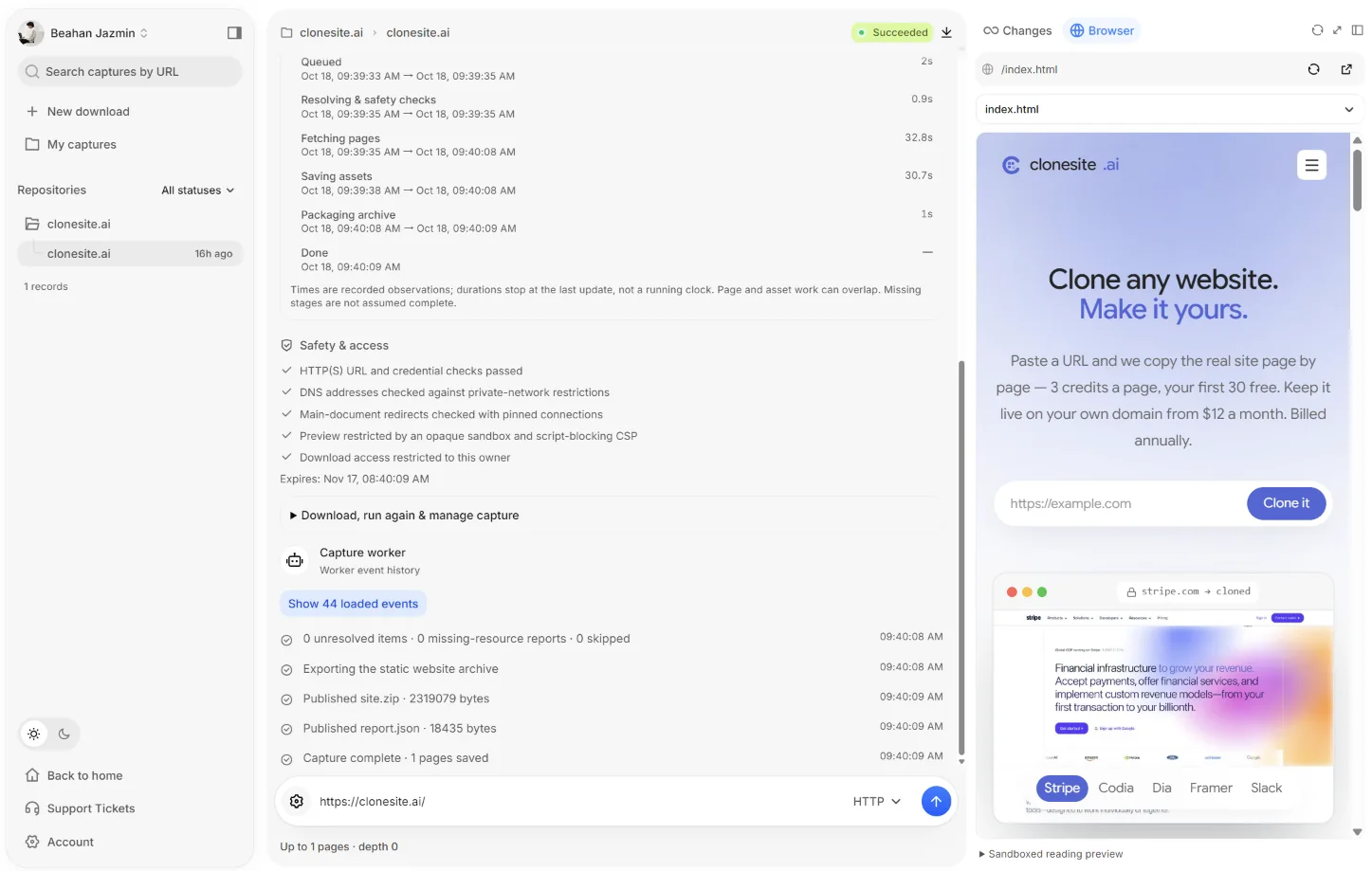
Paste a URL
Enter the start URL, pick HTTP or JS-rendered mode and send.

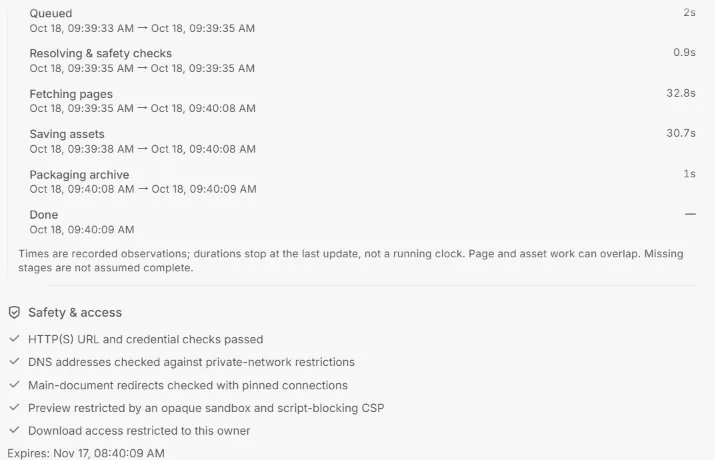
Watch every stage
Queued, safety checks, fetching, saving assets, packaging and done, with timings.
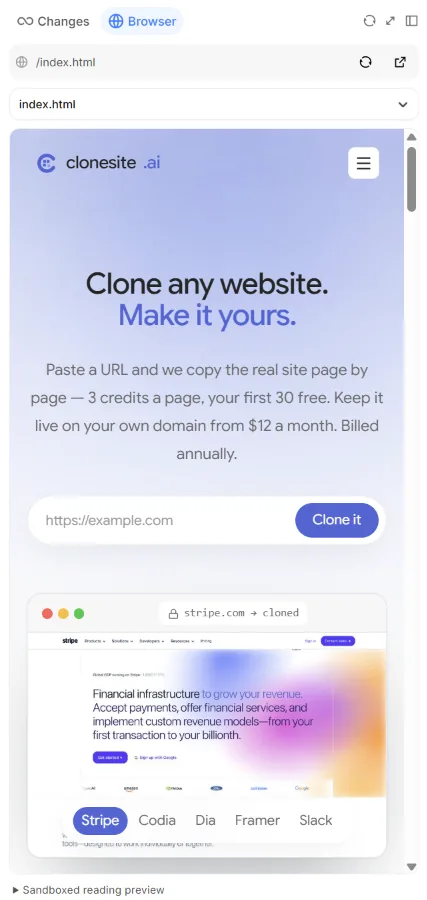
Preview, then download
Read the sandboxed preview, then download the static ZIP.
Practical migration, backup and offline workflows
Private downloads and explicit security boundaries
What a static archive cannot replace
Neither mode exports server-side code, databases, CMS administration, private uploads or login-protected pages, and we never accept a site's login cookies or credentials. Forms, checkout, logins and search need working services of their own; plan those migrations separately.
Dynamic API responses are not replayed offline. HTTP archives may keep scripts that call the original site, while JS-rendered archives remove scripts. Lazy content, embedded media and out-of-scope pages can be missing, so check the report and test on staging before going live.
Start free — 2 copies a month
Start with 2 copies per UTC calendar month, 1 page per copy and depth 0, no credit card. Free delivers a real ZIP when a capture is eligible, not just a preview. Allowances reset each UTC month, including on yearly plans; choose a paid plan for larger archives or more snapshots.
Free: $0 — 2 copies/month, 1 page each, depth 0. PRO: $19.90/month or $99/year — 50 copies/month, up to 200 pages, depth 5. Unlimited: $29.90/month or $149/year — no plan copy, page or depth cap; safety caps apply. All prices are in USD.
Unlimited means no plan quota for copies, pages or depth, not an unlimited job. Default safety limits are 1000 pages, depth 20, 200 MiB and up to 24 hours per capture, with 1 active job per account. Server limits may be lower; the capture form shows your effective limits.
Frequently asked questions.
General
It can capture publicly reachable front-end pages from these platforms, depending on how each site renders. Try HTTP for server-delivered HTML and JS-rendered mode for client-rendered pages. It is not a platform exporter: editor projects, WordPress databases, Shopify checkout and admin data are not included.
Yes. Extract the static ZIP and upload it to a static host, then test the entry page, nested routes, assets and links on staging. You manage deployment, redirects, domain and DNS; server-side features and external services must be replaced separately.
Capturing
No working backend is included. A form or checkout may appear in captured HTML, but submissions, payments, authentication and live search are not recreated. Login-protected pages are not captured, and dynamic APIs are not replayed. Replace or remove these features before publishing; HTTP scripts may still reference external services, while JS-rendered exports remove page scripts.
HTTP collects server-delivered HTML and referenced assets, including available JavaScript, without executing the page in a browser. JS-rendered mode loads a browser page and saves its observed DOM as static HTML with scripts removed. Use it for client-rendered content, not to preserve a running SPA. Both modes obey page/depth budgets and can miss inaccessible or late-loading content.
Review report.json, the route manifest and the saved-page list; missing, failed and skipped resources are reported. Partial jobs include a ZIP only when it passes the delivery policy. Narrow the scope or switch modes for another attempt; unavailable content is never silently reconstructed.
Billing & plans
Yes. Free includes 2 copies per UTC calendar month, 1 page per copy and depth 0, without a credit card. Sign in to run the capture and download its eligible static ZIP. Free is not limited to a screenshot or preview, but source availability, delivery checks and safety budgets still apply.
You can cancel anytime from Settings > Billing or by emailing support@websitecopier.net; access continues until the end of the paid period. A first-time purchase of a paid plan can be fully refunded within 7 days if no paid quota was used. Renewal charges are non-refundable, except for duplicate charges or a service fault we could not resolve. Email support@websitecopier.net with your account email and order ID; we respond within 3 business days.
Free allows 1 page per capture at depth 0. PRO allows up to 200 pages at depth 5. Unlimited has no plan page or depth cap, but server and engine safety limits still apply. Your chosen scope and reachable links may produce fewer pages than the limit. The capture form shows the effective limits for your account.
Privacy & permissions
It depends on your rights and intended use. You can archive your own site or a client's site with authorization. A public page is not automatically free to copy or republish; personal backups must still comply with terms, copyright and applicable law. A capture grants no new rights. See the permissions page linked in the hero and footer for guidance and rights-concern reporting; this is not legal advice.
The ZIP download window is 30 days after completion, subject to delivery and entitlement checks. Download important archives promptly and keep your own backup. Expired or deleted captures cannot be downloaded through the app. This window does not promise simultaneous erasure of engine working files or operational records.
Yes, by default. Before crawling, the worker reads the site's robots.txt, applies the rules for our WebsiteCopier user agent (or *), skips disallowed URLs and lists them in report.json. When a Crawl-delay is set, the crawl runs one request at a time and the page budget is reduced to fit the delay. If robots.txt is missing or cannot be fetched, the capture proceeds. Advanced mode can explicitly override this with “Ignore robots.txt (I own or am authorized to copy this site)”; the choice is recorded with the capture and you are responsible for compliance.